
Timesheets your office can review
Review employee time, Job records and corrections before preparing office reports.
See the entries behind the total
smaft brings recorded hours into an office timesheet view for New Zealand workshop and site teams. Check who recorded the time, which Job and Work Type it belongs to, and whether the entry needs attention.
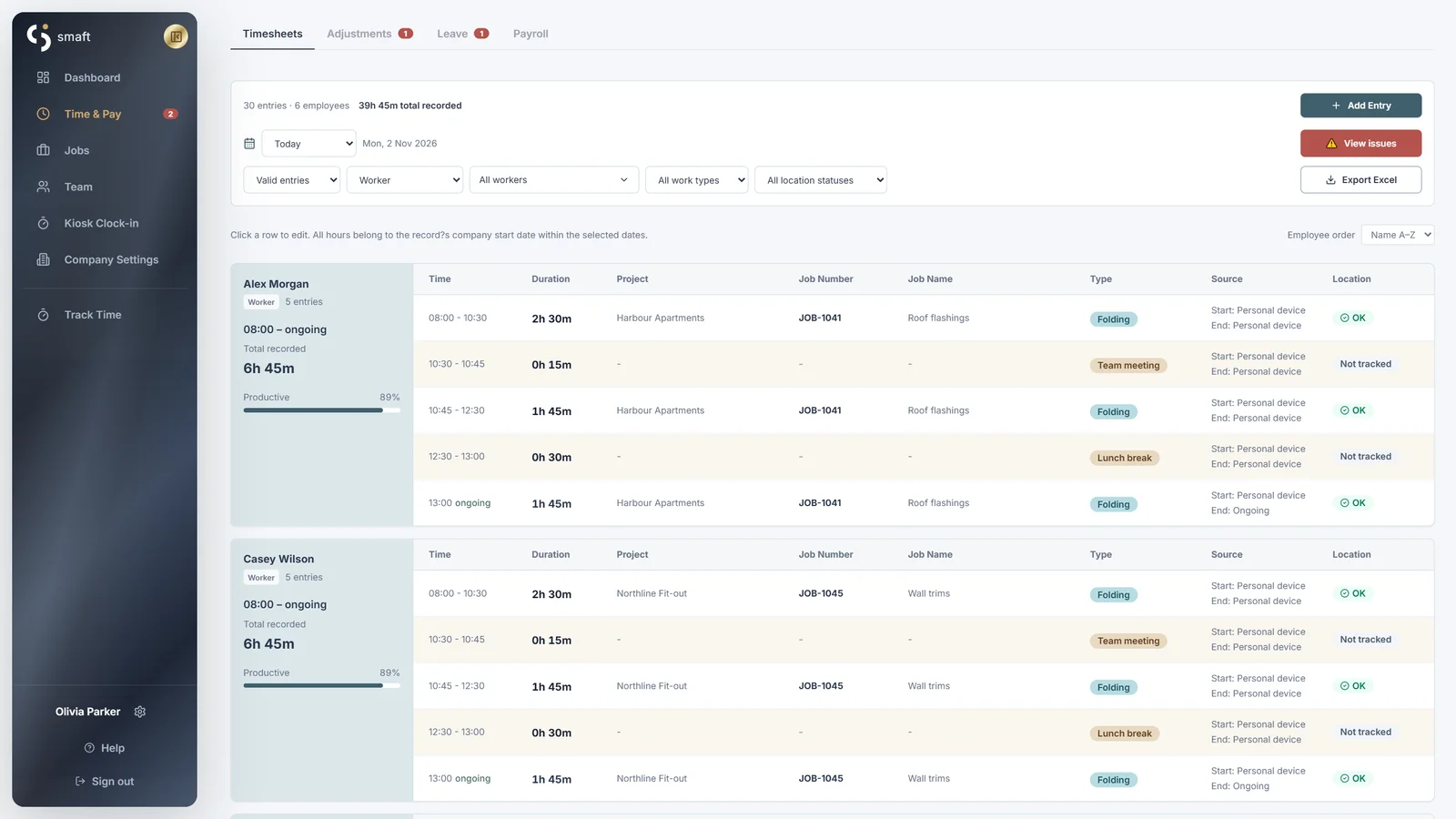
Record, review and export
Workers record their time
Employees start and stop work in a browser, selecting a Job or another activity. An enabled Kiosk offers shared-terminal PIN entry.
The office checks the details
Review time entries, employee correction requests and location exceptions where configured. The record keeps work context alongside the hours.
Prepare the next report
Choose employees and dates for an Excel export. A separate payroll-hours preview helps the office check hours before payroll preparation.
What the records include
| Work detail | Employee, Job, Work Type, start and end times, and duration. |
|---|---|
| Review context | Correction requests, applicable location exceptions and clocking sources. |
| Excel output | Individual entries and an employee summary in an .xlsx workbook. |
| Payroll preparation | An hours preview for review; pay amounts and payroll processing are separate. |
Questions about this workflow
Ask about your setupCan employees correct a missed or incorrect time entry?
Employees can request a correction or an added entry. The office reviews the request before the approved change is applied to the time record.
Can we distinguish productive and non-productive time?
Yes. Work Types distinguish productive work, non-productive activity and unpaid time. The office can configure these classifications for the activities your team records.
Can I export one employee or a selected period?
The Excel export lets you choose employees and a date range. It includes recorded entries with Job and Work Type details, plus an employee summary.
Does smaft send hours directly to our payroll system?
The current workflow offers Excel exports and a payroll-hours preview. A direct connection to your payroll platform must be assessed and confirmed separately.