
Time tracking for trades and sites
Keep employee time attached to the work as the day changes.
Give each work period a Job
Installation, maintenance and trade crews often move between different work in one day. smaft gives New Zealand field workers a browser-based timer, while the office organises Jobs, checks time entries and follows recorded hours by Project.
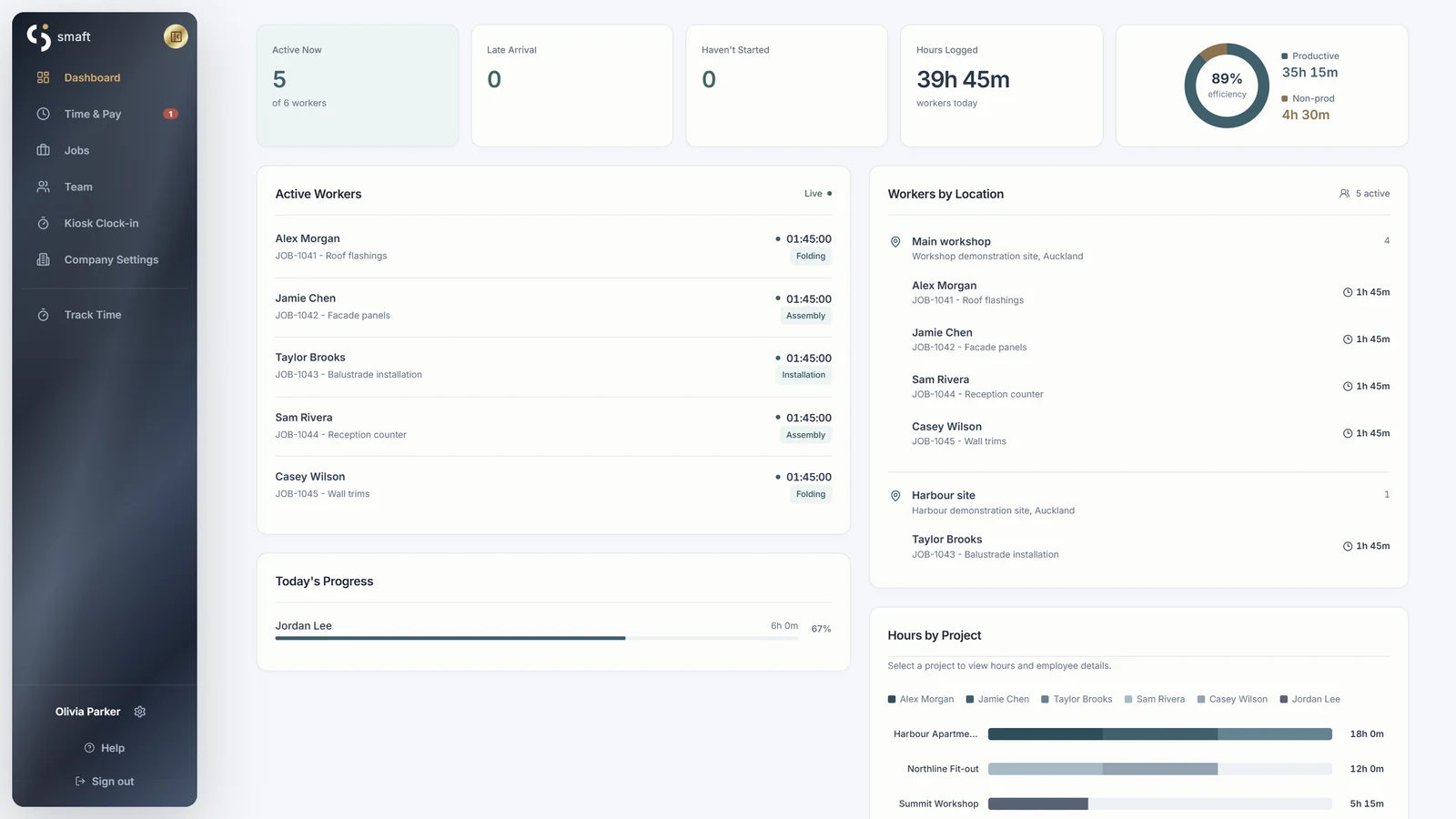
A working day across Jobs
Choose the work
Employees select the Job they are starting. The Job supplies its Work Type and can link to a configured project Site.
Switch when the work changes
Selecting the next Job through the switch workflow ends the current record and starts the next at the same timestamp.
Review from the office
Check the day’s entries, correction requests and applicable location exceptions. Export detailed timesheets to Excel for follow-up.
Plan the setup around your team
| Phone access | Use the timer in a web browser; confirm your devices and connection conditions. |
|---|---|
| Workshop access | Add an enabled Kiosk for employees using a shared terminal. |
| Site checks | Configure locations and review clocking exceptions when the feature is enabled. |
| Office reporting | Review employee entries and Job or Project hours, then export timesheets. |
Questions about this workflow
Ask about your setupDo workers need to install a native mobile app?
The current worker timer runs in a web browser. Discuss the phones and browsers your crew uses during setup so the relevant workflow can be checked.
Can workers record general work as well as Job time?
Yes. Workers can record general work and other activities. Job-linked entries retain the selected Job and its Work Type for office review.
Does smaft track vehicles or employees continuously?
It supports configured location checks and exception review. It does not provide continuous vehicle routes or map replay, and a Kiosk record does not collect GPS.
Can we use it on sites without an internet connection?
Offline clocking with automatic synchronisation is not an established capability of the current product. Discuss site connectivity before planning your rollout.