
Time tracking for installation crews
Record employee hours against installation Jobs across your projects and sites.
Know which work used the hours
For New Zealand installation and construction subcontractors, employee time needs a place in the project record. smaft supports crews working on HVAC, windows, roofing or fit-outs with Job timers, configured site checks and office timesheet review.
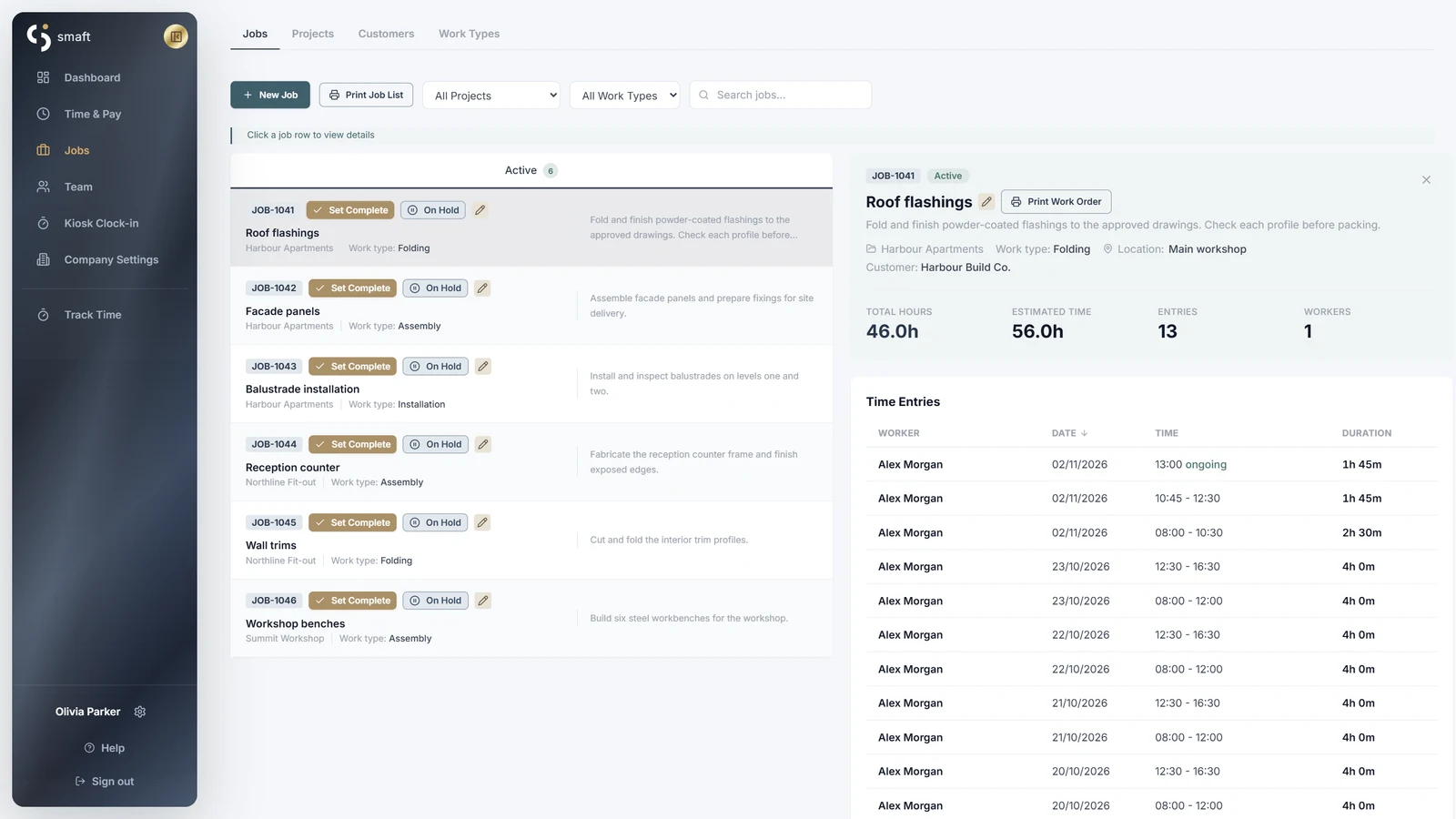
From site work to office review
Prepare the project
Create Jobs for separately tracked work, such as roof preparation and installation. Link Jobs to the relevant Project and, where needed, a configured Site.
Start and switch work
Workers open the timer in their phone browser and select a Job. Switching finishes the current record as the next one begins.
Check the records
The office reviews hours, correction requests and location exceptions. Export employee and Job time to Excel for further reporting.
What to check for your crew
| Devices | Browser-based access; confirm your phones, browsers and site connectivity. |
|---|---|
| Locations | Configured location checks and exception review when enabled. |
| Reporting | Job and Project hours in the app; employee and Job entries in Excel. |
Questions about this workflow
Ask about your setupCan we time different tasks within one construction project?
Yes, by setting up a separate Job for each piece of work under the Project. Each Job has a Work Type. smaft currently uses this structure rather than an additional Task level.
Can employees work across several sites?
You can configure project sites and link Jobs to them. Employees select the relevant Job when recording work, so its project and location context remain available to the office.
What happens if a location check raises an exception?
Depending on the configured check, a worker can confirm an exception and give a reason for office review. Location checks do not guarantee presence or provide continuous vehicle tracking.
Does the timer work offline?
Offline clocking and automatic offline synchronisation are not supported promises for the current product. Review connectivity at your sites during the setup discussion.
Can we add installation photos or customer sign-off?
These are requirements we can assess as extensions. They are not included in the current time-tracking workflow. Agree the scope and delivery before relying on them.