
Review where work was recorded.
Check browser location against configured workplaces and review exceptions with context.
Keep location with the time record.
For enabled personal-device workflows, smaft compares browser location with a configured work location. A Job can point to a project site; an employee can have a default workplace. The office sees location exceptions alongside the relevant time entry.
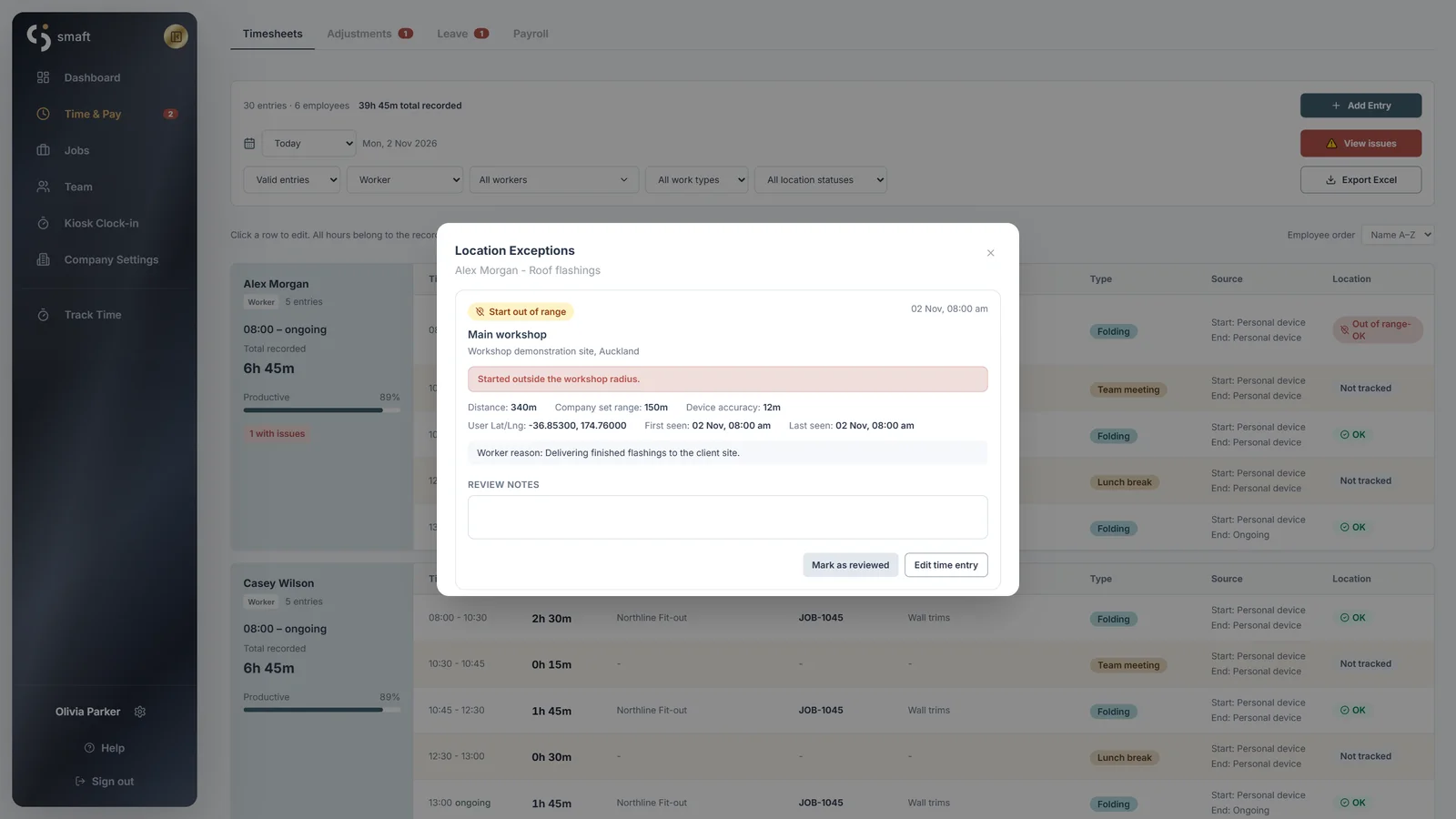
Give exceptions an explanation.
Configure the work location
Set up workplace or project-site coordinates and an allowed radius, then connect the relevant Job or employee.
Record work on a personal device
Enabled work types use the browser location workflow. Missing or out-of-range positions can require confirmation.
Review in the office
Inspect the location event, available position details and worker explanation before recording the review outcome.
Location in context
| Source | Browser geolocation, subject to device permission, accuracy and availability. |
|---|---|
| Configuration | Location features, work types and configured sites determine the applicable checks. |
| Review | Location events preserve available position details and exception-review information. |
| Shared kiosk | Kiosk-started records use terminal provenance and do not collect GPS positions. |
Questions about this workflow
Ask about your setupIs this live vehicle tracking?
No. smaft provides work-location checks and exception review around time records. It does not provide a continuous driving history or map replay.
What happens when a worker is outside the configured location?
The worker may need to confirm the exception. The office can review the resulting event and its context. An exception is not, by itself, proof that the worker was not working.
Will location always be accurate?
No. Browser permissions, device accuracy and location availability affect the result. Review the recorded context and discuss the devices and work sites your team uses during setup.
Can the company use more than one work site?
Yes. The system supports company workplaces and project sites. Jobs can be linked to a site, and employees can have a default workplace.